

Vercel Sandbox can now run in all 20 Vercel compute regions, up from four.
Running sandboxes closer to the databases, storage, and other services they access reduces latency. Teams can also keep sandbox workloads in approved regions to support data residency and regional processing requirements.
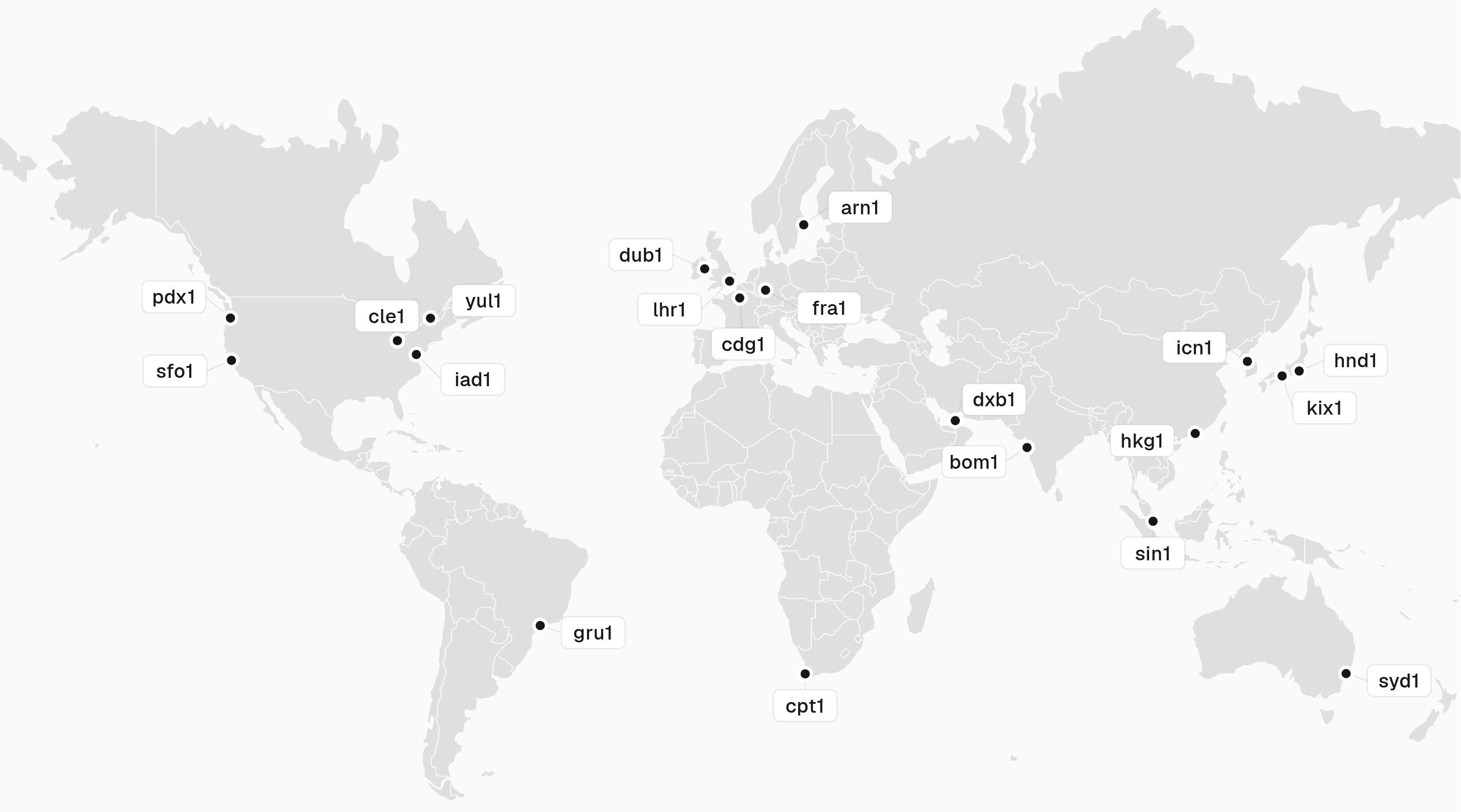
iad1 remains the default region. Region selection is available on every plan.
Pro and Enterprise teams can also configure failover regions. If Vercel can't create a sandbox in the primary region, it tries each configured failover region in order. Teams with data residency requirements can limit primary and failover regions to approved geographies.
Set a default region for new sandboxes from your project's Settings > Sandboxes.
With the SDK:
import { Sandbox } from '@vercel/sandbox';
const sandbox = await Sandbox.create({ name: 'my-sandbox', region: 'syd1', failoverRegions: ['hkg1', 'sin1'],});Create a sandbox in Sydney with Hong Kong and Singapore as failover regions using the SDK.
With the CLI:
sandbox create --name my-sandbox --region syd1 --failover-regions hkg1,sin1Create a sandbox in Sydney with Hong Kong and Singapore as failover regions using the CLI.
A region passed at creation overrides the project default. Existing sandboxes remain in the regions where they were created.
Active CPU and Provisioned Memory rates vary by region. See Sandbox pricing.
If you use the Sandbox SDK or CLI, update it to the latest version before selecting one of the newly supported regions. Learn about region selection, failover, and CLI configuration in the Sandbox regions documentation.
