Vectr
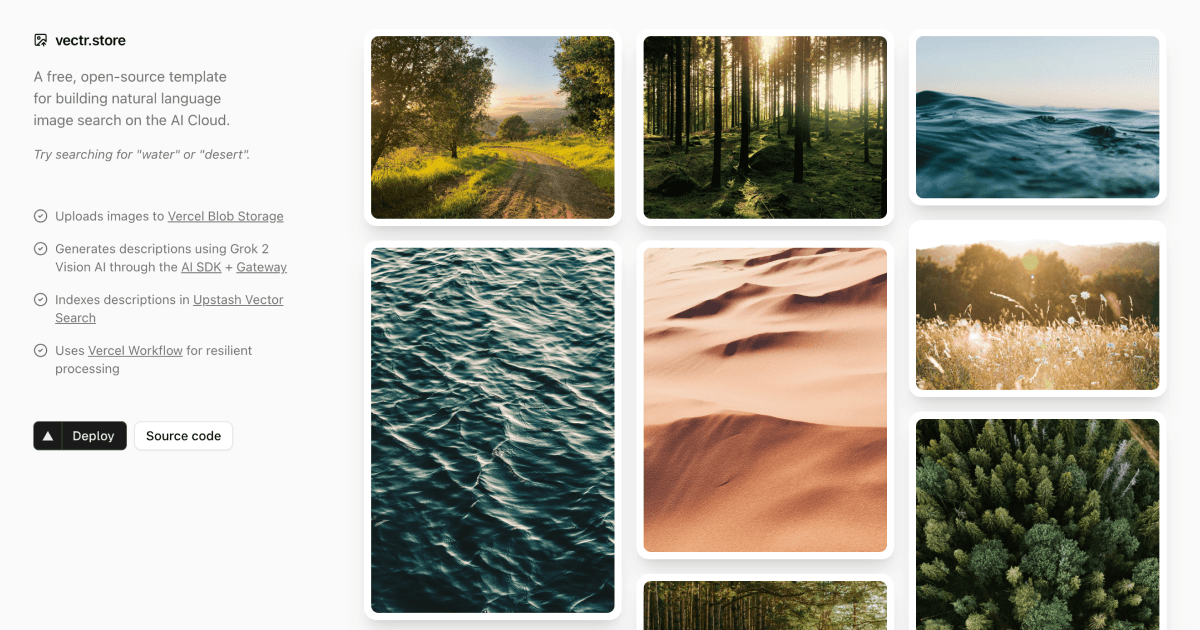
Vectr is an AI-powered image search application template that automatically generates descriptions for uploaded images and indexes them for semantic search.
✨ Features
- 📤 Drag-and-drop image uploads with Vercel Blob Storage
- 🤖 AI-powered image descriptions using Grok 2 Vision
- 🔍 Semantic search with Upstash Vector Search (stores metadata too!)
- 🔄 Resilient processing with Vercel Workflow automatic retries
- 🎨 Beautiful UI built with shadcn/ui and Tailwind CSS
- 💰 Incredibly cheap - No database needed!
🚀 How It Works
When you upload an image, Vectr automatically:
- 💾 Stores the image in Vercel Blob Storage
- 🧠 Generates a detailed description using Grok 2 Vision AI
- 🔎 Indexes the description AND metadata in Upstash for semantic search
Loading diagram...
🏗️ Architecture
Workflow Steps
Each step in the image processing workflow is isolated and runs on a separate serverless function with automatic retries:
Step 1: Upload Image (upload-image.ts)
- 💾 Uploads to Vercel Blob Storage
- ⏱️ Handles rate limiting with 1-minute retry delays
- 🔄 Maximum 3 retry attempts
- ❌ Fatal error on quota exceeded or invalid files
Step 2: Generate Description (generate-description.ts)
- 🤖 Uses Grok 2 Vision AI to analyze the image
- ⏱️ Handles rate limiting with 5-minute retry delays
- 🔄 Maximum 5 retry attempts
- ❌ Fatal error on invalid/unsupported images
Step 3: Index Image (index-image.ts)
- 🔎 Indexes description AND blob metadata in Upstash
- 💾 Stores all image data (url, size, contentType, etc.) as metadata
- ⏱️ Handles rate limiting with 1-minute retry delays
- 🔄 Maximum 5 retry attempts
- ❌ Fatal error on invalid data
Error Handling
Vectr uses sophisticated error handling to ensure reliable processing:
- 🔄 RetryableError: Temporary failures (rate limits, network issues, timeouts)
- ❌ FatalError: Permanent failures (invalid data, constraint violations)
- 📊 Context-aware retries: Each step tracks attempt count and timestamps
- 🎯 Smart HTTP responses: 400 for fatal errors, 500 for retryable errors
🛠️ Tech Stack
- ⚡ Framework: Next.js 15 with App Router and React 19
- 🔄 Workflow: Vercel Workflow (alpha)
- 🤖 AI: Grok 2 Vision via Vercel AI SDK
- 🔍 Search & Storage: Upstash Vector Search (stores metadata too!)
- 💾 Blob Storage: Vercel Blob Storage
- 🎨 UI: shadcn/ui + Tailwind CSS 4
- 🔒 Type Safety: TypeScript + Zod
🚀 Deploy to Vercel
The easiest way to deploy Vectr is using the Vercel Marketplace:
During deployment, you'll be prompted to set up:
- 🔍 Upstash Vector Search - Semantic search + metadata storage
- 💾 Vercel Blob Storage - Image storage
Both services have generous free tiers and will be automatically configured. No database needed!
💻 Local Development
Prerequisites
- 🟢 Node.js 18+
- 📦 pnpm (recommended)
Setup
- Clone the repository:
- Install dependencies:
- Set up environment variables:
Create a .env.local file with:
- Run the development server:
Open http://localhost:3000 to see your app.
📜 Scripts
- 🚀
pnpm dev- Start development server with Turbopack - 🏗️
pnpm build- Build for production - ✅
pnpm check- Run linting checks - ✨
pnpm format- Format code with Biome
📁 Project Structure
🔐 Environment Variables
| Variable | Description | Required |
|---|---|---|
UPSTASH_SEARCH_URL | Upstash Vector Search endpoint | Yes |
UPSTASH_SEARCH_TOKEN | Upstash authentication token | Yes |
VERCEL_OIDC_TOKEN | Short-lived OIDC token for Vercel Blob (auto-injected on Vercel, vercel env pull locally) | Yes |
BLOB_STORE_ID | Vercel Blob store id, paired with OIDC (auto-injected when a store is connected) | Yes |
XAI_API_KEY | xAI API key for Grok Vision | Yes |
📊 Observability
Vectr includes comprehensive logging for monitoring and debugging:
- 🔄
[WORKFLOW]- Workflow-level events and timing - 🔧
[stepId]- Step-level events with unique identifiers - 🌐
[API]- HTTP request/response logging
All logs include timestamps, attempt counts, and duration metrics.
🤝 Contributing
Contributions are welcome! Please feel free to submit a Pull Request. Our Contributing Guide has more information on how to get started.
📄 License
MIT